
UNITY
Golf
Multiplayer golf game.
Overview
A physics-driven golf game built in Unity, featuring real-time ball simulation, trajectory prediction, shot and putt assist, multiplayer support, and a streamlined Blender-to-Unity pipeline for rapid level creation. This project was developed during my time at Vegas City.
Showcase

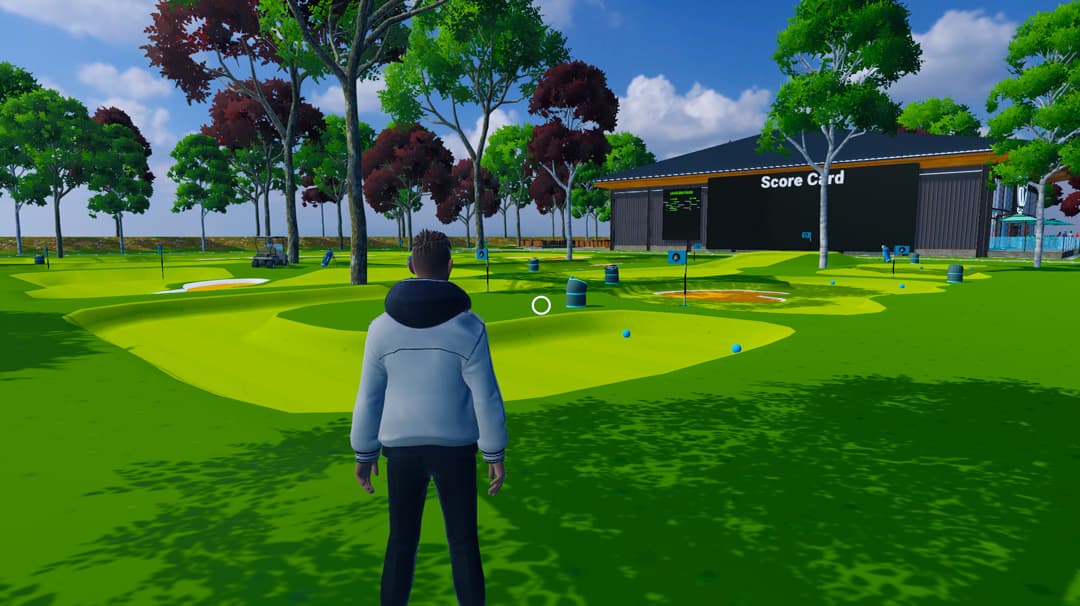
Pitch and Putt Course
Gameplay Variants
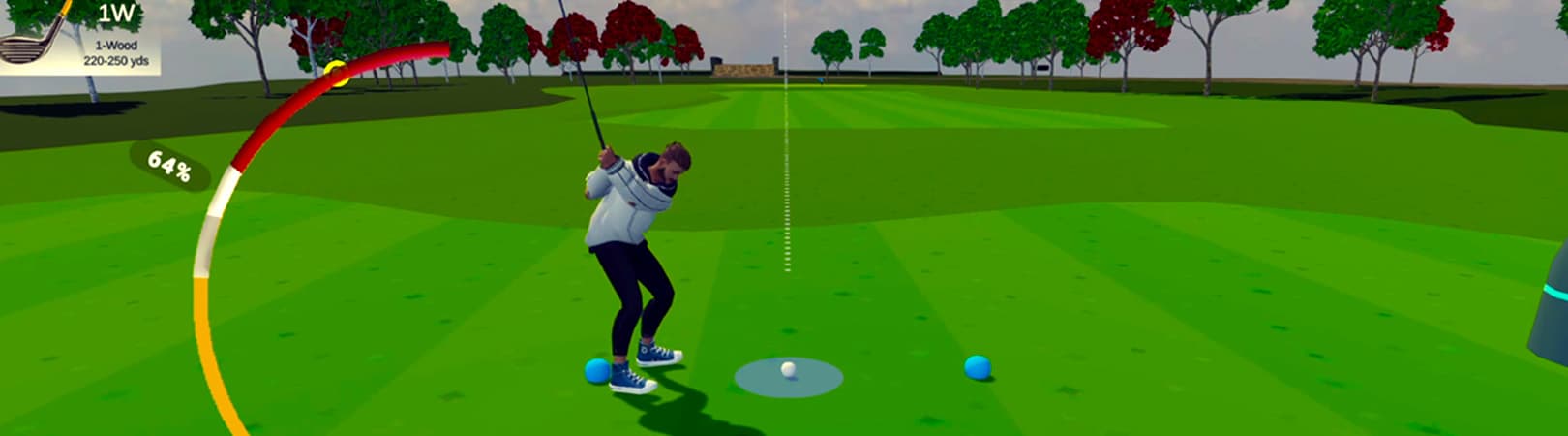
The project supports two gameplay variants: a realistic golf mode and a simplified pitch-and-putt mode. The realistic variant includes a full club set and larger course layouts, while the pitch-and-putt mode focuses on smaller holes using only a putter and sand wedge. The realistic variant also includes additional features, such as a targeting mode for selecting the ball's intended landing position and shot/putt assist systems.
Multiplayer Support
The multiplayer system is built around deterministic shot simulation. When a player takes a shot, the ball trajectory is simulated locally, producing a list of ball points and rotations. These points are transmitted over the network and replayed on other clients, with interpolation applied between points to ensure smooth movement. The game also includes a score card and leaderboard system.
Shot & Putt Assist System
The shot and putt assist system calculates the required shot strength as a percentage based on variables such as the club's stats, target distance and direction, and physical parameters such as gravity, drag, and friction. When using target mode, the player can choose a specific landing point. The assist system then solves for the required initial velocity and provides a recommended power value needed to reach the intended landing position.
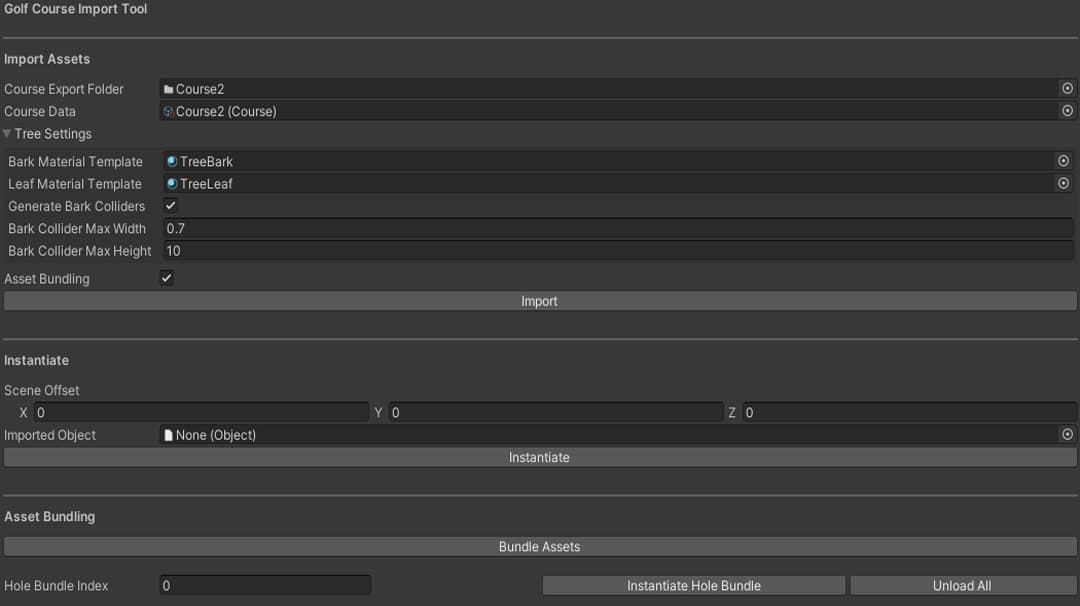
Unity Import Tool
The Unity tool imports data, generates prefabs, and creates AssetBundles for holes.
Blender-to-Unity Pipeline
The Blender-to-Unity pipeline was built to streamline the creation of golf courses and levels. It supports both full-course builds and individually asset-bundled holes that can be loaded dynamically at runtime. The Blender add-on (written in Python) automates mesh processing and export. It uses boolean operations to cut holes from a master terrain based on defined boundaries. The processed geometry and level metadata are exported as FBX and JSON files respectively. The corresponding Unity import tool then constructs the level using the exported meshes, updates the level's metadata, generates required prefabs, and builds AssetBundles used for runtime loading. The importer also generates tree prefabs from exported data. The tree bark and leaves are separated automatically, with colliders applied only to the bark mesh. Bark and leaf materials are also generated and use a wind shader to support dynamic tree swaying, depending on the current wind speed and direction during the game.
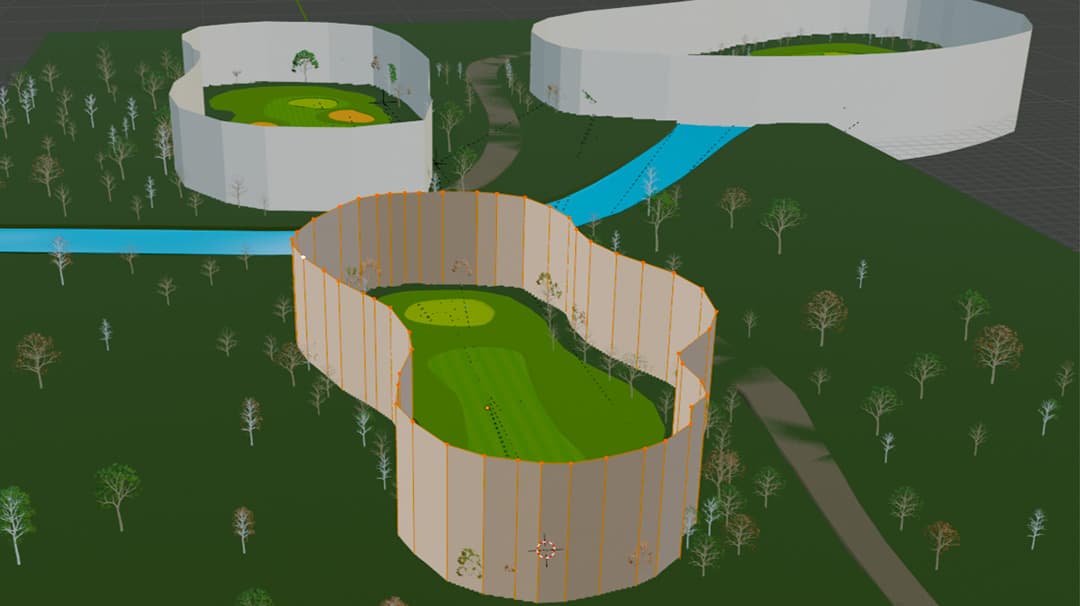
Hole Definitions in Blender
Individual holes are defined by a boundary mesh, which the Blender Add-on uses to cut out of the master terrain.